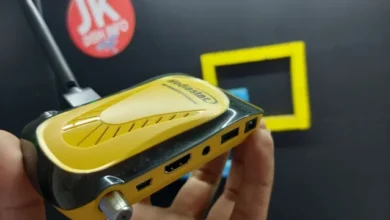
China Box Software
MEDIASTAR MS MINI 2727 FOREVER HD FREEDOM MENU V202
MediaStar MS Mini 2727 Forever HD Freedom Menu V202 Software
The MediaStar MS Mini 2727 Forever HD Freedom Menu V202 is software/firmware for the MediaStar MS Mini 2727 HD satellite receiver.
This firmware can be used to update the receiver’s software and access the features provided by the Forever HD Freedom Menu platform.
MediaStar MS Mini 2727 V202 Information
| Information | Details |
|---|---|
| Brand | MediaStar |
| Model | MS Mini 2727 |
| Software | Forever HD Freedom Menu |
| Version | V202 |
| Device Type | HD Satellite Receiver |
| Firmware Type | Receiver Software |
| Upgrade Method | USB |
| Menu | Freedom Menu |
Software Features
- Forever HD Freedom Menu
- HD satellite receiver support
- Updated receiver software
- Improved menu interface
- USB software upgrade
- Satellite channel management
- Firmware update support
How to Upgrade MediaStar MS Mini 2727
- Download the compatible V202 firmware file.
- Copy the software file to a USB flash drive.
- Insert the USB drive into the MediaStar MS Mini 2727.
- Open the Software Upgrade menu.
- Select the firmware file.
- Start the upgrade process.
- Wait until the receiver completes the installation.
- Allow the receiver to restart.
Important: Do not turn off the receiver or remove the USB drive while the firmware is being installed.
| MODEL NAME: | MEDIASTAR MS MINI 2727 FOREVER HD |
| MENU: | FFF |
| H/W VERSION: | V202 |
| S/W VERSION: | FFFF |
| FLASH: 4MB | RAM: 512 |
| Software | Download |
| NETWORK OPTIONS: WIFI | |
| WIFI CHIPSTET: | RT5370 |