Download ASProgrammer V2.1.0.13 for CH341A programmer. Free tool for reading, writing, and programming EEPROM, SPI Flash, and BIOS chips. Compatible with Windows XP to Windows 10.
ASProgrammer Tools V2.1.0.13 Download – Best Free EEPROM & SPI Flash Programmer Software (2026)
released date Aug 20
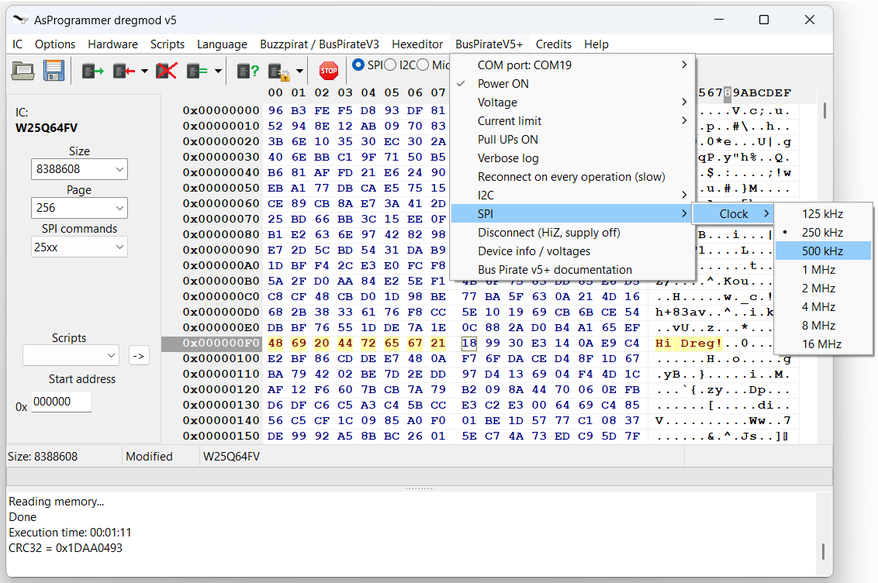
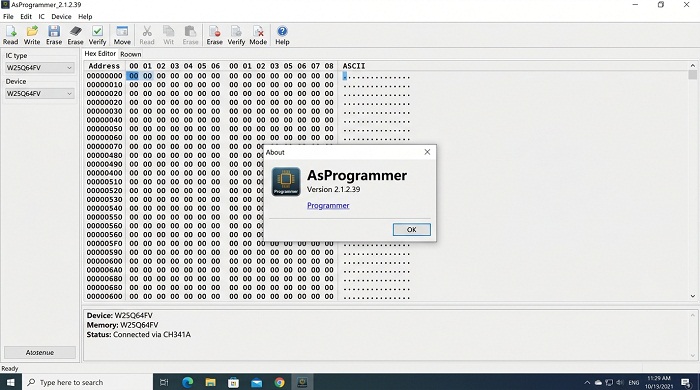
| File Name |
Asprogrammer |
| File size | 2.21 MB |
| Version | V1.4.0 |
| exe file | Tool |
|
Release Date: |
09 Feb 2026 |
| Software | Download |
| New | AsProgrammer 2.1.2.39 |
| Date | 09 Feb 2026 |
| Version | V2.1.2.39 |
| file | Download |
| AsProgrammer Tools Version V2.1.0.13 | |
| Ch341a Programmer | Software |
| File Format | zip |
| Tool Upload by Mediafire | Downloads |
| File Size 3.1 MB | |
| Upload Time | April 17, 2023 |
| Downloads Limit/ | day : 100 |
| Remaining Downloads | Download Tool |
Features:
- free to download and use;
gives you the ability to update satellite receiver firmware;
compatible with modern Windows versions;
it is possible to view data stored on the Flash IC devices;
can format programmers modules.
| Software | Link |
|---|---|
| AsProgrammer Download V2.1.0.13 | Download Here |
Introduction
If you work with electronics repair, satellite receivers, BIOS flashing, or microcontroller programming, having a reliable programmer software is essential. ASProgrammer Tools Version V2.1.0.13 remains one of the most popular free solutions for CH341A-based programmers.
Whether you’re a professional technician or a hobbyist, this tool makes it easy to handle EEPROMs, SPI Flash memory, and various ICs.
What is ASProgrammer V2.1.0.13?
ASProgrammer is a powerful Windows-based software designed to work with low-cost USB programmers (especially CH341A). It supports reading, erasing, writing, and verifying data on different memory chips used in:
- Satellite receivers
- TV boxes
- Motherboards (BIOS flashing)
- Automotive electronics
- Embedded systems
Latest Version: V2.1.0.13 Release Date: April 17, 2023 File Size: ~3.1 – 4.00 MB (ZIP/RAR)
System Requirements
- Operating System: Windows XP, Vista, 7, 8, 10 (32-bit & 64-bit)
- Hardware: CH341A USB Programmer (most common)
- File Format: Compressed (ZIP/RAR)
Key Features of ASProgrammer V2.1.0.13
- Completely free to download and use
- Supports EEPROM, SPI Flash, and many IC types
- Ability to update satellite receiver firmware
- View and edit data stored on Flash IC devices
- Format programmer modules
- Simple and lightweight interface
- Good compatibility with modern Windows versions
How to Download ASProgrammer V2.1.0.13
Direct Download Link: Download AsProgrammer V2.1.0.13
Supporting Tool (CH341 Driver): Download CH341 2.0.0.43 FWH
Note: Always scan downloaded files with antivirus software before use.
Installation & Basic Usage Tips
- Install the CH341A drivers first.
- Extract the ASProgrammer RAR file.
- Run the executable (usually ASProgrammer.exe).
- Connect your CH341A programmer.
- Select the correct chip type from the list.
- Load your firmware/bin file and perform Read/Write operations.
Pro Tip: For best results, many technicians use this version alongside NeoProgrammer for complex tasks.
Common Uses
- Repairing dead motherboards via BIOS flashing
- Dumping and restoring satellite receiver firmware
- Programming 24xx / 25xx series EEPROMs
- Car ECU and dashboard chip programming
- Educational electronics projects
Important Warnings
- Use on original hardware only.
- Double-check chip compatibility before writing.
- Backup original data before any erase/write operation.
- Some newer chips may work better with updated alternatives like NeoProgrammer.
Conclusion
ASProgrammer V2.1.0.13 continues to be a go-to tool for thousands of technicians worldwide because of its simplicity and reliability. Even in 2026, it remains relevant for CH341A users.

